What’s New: Optimization

As human beings we are always striving for perfection, it’s in our nature, in our core. This drive within us is responsible for great achievements in all fields, from technology to art. It has compelled us to fuse ideas and concepts from different fields, allowing technology to advance and transform art, science, language, and vice versa, just think of all the Jules Verne novels for one.
Where has all this led us: automation and optimization in everything we do. The simple spelling and grammar check in the text editor you and I use, is a very basic way of automating the process of writing; thus, optimizing the writing that is being done. It gets rid of the time consuming task of having someone else check your document for grammar and spelling mistakes, resulting in work done more quickly.
Optimization
A few months back, we introduced Automated Websites Optimization. Now we have gone further and have integrated the 10Web Speed Optimizer plugin with the Google PageSpeed module. In doing so, your websites will be automatically optimized at the hosting level. The module is a tool installed on the server that powers your website. The tool uses filters to optimize, compress, combine, and prioritize the following:
- HTML, CSS, JS
- Images
- Caching and more
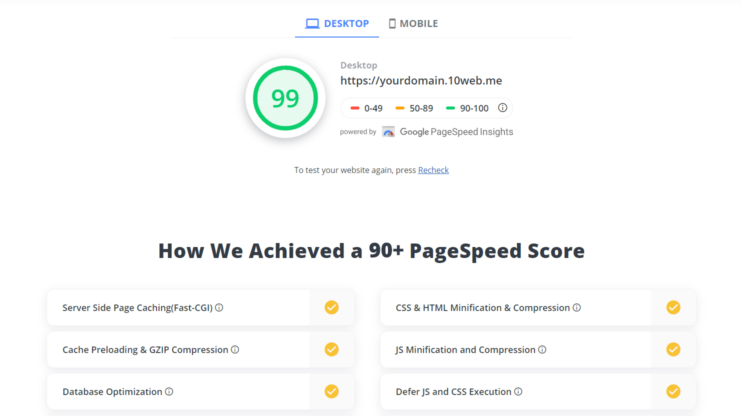
To further optimize, use the 10Web Speed Optimizer to lazy load images, videos, iframes, and exclude JS and CSS files from lazyload.This is the process that gives you a desktop load speed of 90+. Trust us, that’s fast!
Once your website has been optimized, you will see a list of the processes accomplished by the combined efforts of these tools, in our newly designed Speed Up page.
Trial Platform
Cutting down the steps you need to take, makes it quicker for trial users to start exploring our platform. After signing up with 10Web, you will be asked to fill out only two fields:
- Data Center Location
- Website Title
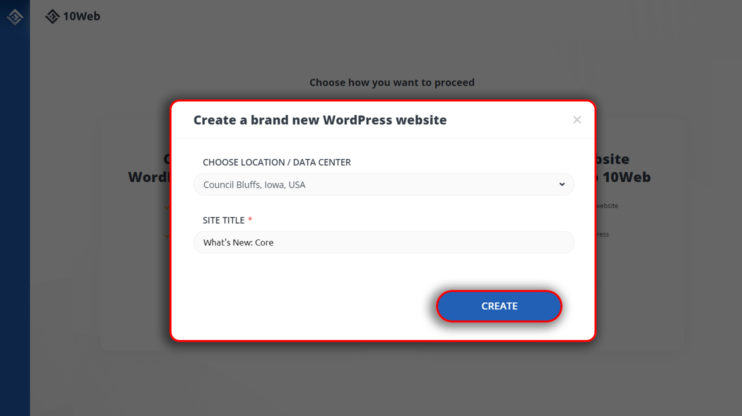
Once this is done, your website will be automatically created.
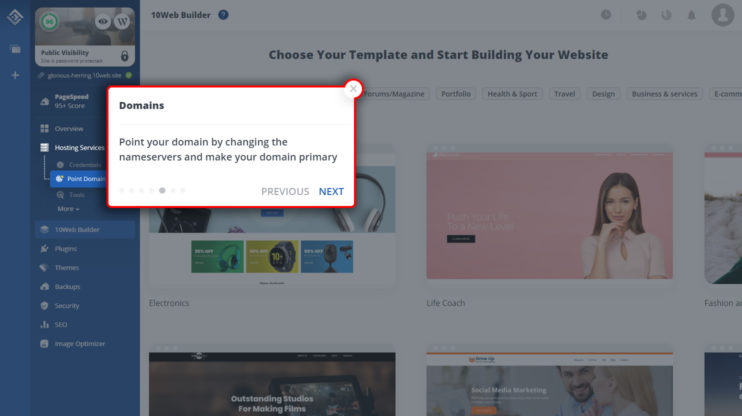
Understanding a new environment requires some time, for our trial users, we have added a tour in our dashboard. As soon as your website is created, a tour will guide you through the basics of navigating and using the 10Web Dashboard.
Changes in Hosted Website Dashboards
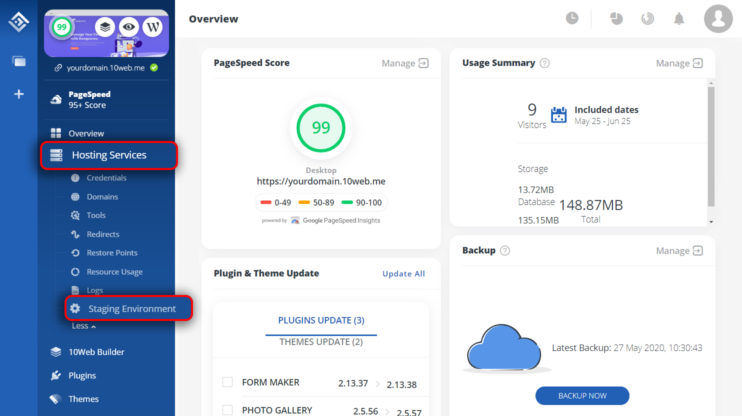
We continue to reorganize the dashboard, and with each change reach a level of logical comfort. Websites hosted at 10Web have the option to enable a staging environment. This option is now housed under Hosting Services.
Improvements and Fixes
We have improved the speed of the 10Web dashboard and further improved and stabilized the migration of websites. There have also been bug fixes in the redirect rules which now supports all regular expressions.
You like this article? Spread the word!


Will try this tool definitely!
MARIA all I can say is it was worthy to come to your blog a got good information on SEO… I also want to perform an SEO audit for my website
Nice Development tools
Good morning. I need help with WordPress and I’m hoping for one-on-one assistance. I really want to talk with someone who knows wordpress, LIVE. I receive tons of emails from wordpress that offer links to solutions to other peoples’ problems that haven’t done me any good. I’ve tried to unsubscribe from those emails, but I haven’t been able to so now they all go to my spam folder. Again, I’m looking for live support, not some robo link that won’t answer my questions. my blog address is lookingthrualens.com/ricks-hideout/
Hi Richard! Thanks for your comment. For live chat support, please go to https://10web.io/ and click “Ask a question” on the bottom right corner of the page. Alternatively, you can join our WordPress Family Facebook Community and start a discussion with fellow WP users.